RTL
Your English Layout Looks Good. Now Try Arabic.
Review RTL and localized pages with real content, matched captures, and a closer look at mixed-direction UI details.

An email address sits inside an Arabic account page. The label is on one side, the input value reads in another direction, and a small icon has somehow ended up between them.
The page can be technically translated and still feel unfinished.
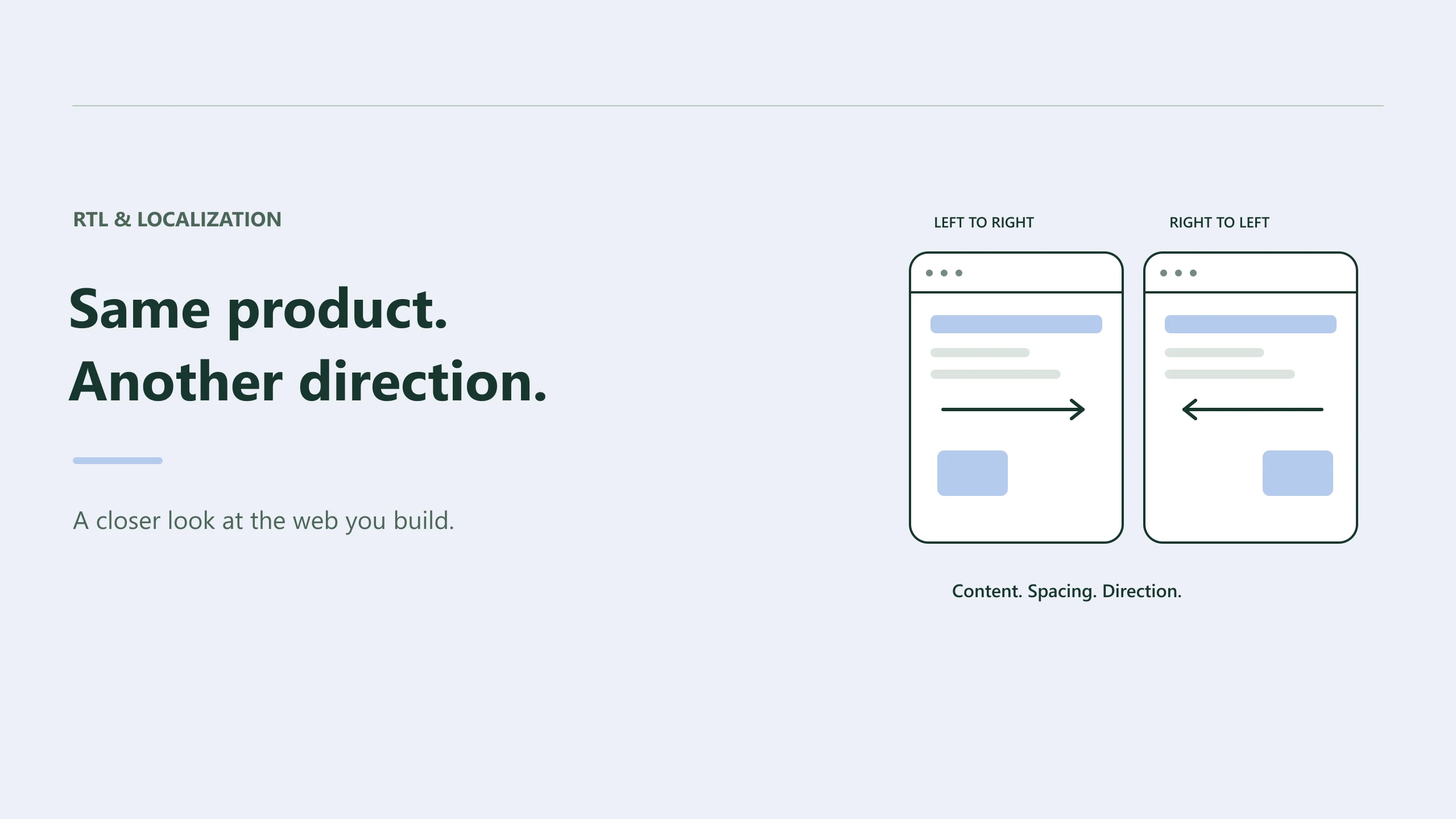
Localization exposes layout assumptions that were easy to miss in the original language: how much room a label needs, where an action belongs, which direction an icon suggests, and how mixed text should read.
Reviewing the translated page is where those assumptions become visible.
Translation and direction deserve separate attention
A page in German can need more room for a navigation label without changing the writing direction. An Arabic page introduces direction considerations as well as different text.
That makes two useful review questions:
Does the translated content fit and communicate clearly? Does the layout behave appropriately for its writing direction?
You may answer both in one session, but keeping them distinct helps you explain the findings. A clipped label and a wrongly placed action can need different fixes.
In HTML, the dir attribute establishes text direction. MDN's direction attribute reference describes its values and behavior. Setting a document to RTL is a starting point; the actual page still needs inspection.
Review the content people will read
Use the real localized route and actual translations when available. Compare the same feature, with equivalent data, at matching viewport sizes.
Pay attention to the details that don't resemble a translated paragraph: email addresses, account identifiers, phone numbers, prices, dates, and product codes. They often contain characters with different direction behavior from the surrounding copy.
An account form is a useful place to start because it brings many of these cases together. Look at a long name, a realistic email, a validation message, and the action labels.
Make sure those states are present in the captured evidence. A screenshot of an empty form won't tell you how a multiline error message affects the layout. If the state isn't available through the configured capture, supply appropriate evidence or review it separately.
Compare the actual language versions
With Preveo connected through MCP, a request could be:
Compare the English and Arabic account pages at matching supported mobile and desktop viewports. Use the actual localized URLs. Review clipping, alignment, mixed-direction values, and the placement of primary actions. Run without macros and return the comparison thread.
Preveo exposes RTL vs LTR and Localization as separate Use Cases. The agent should inspect their current configuration and choose the one that matches your request. Comparison inputs need to come from your actual URLs, supplied images, or supported saved evidence.
The workflow doesn't create a translated version of the site for you. Give it both sources, or let it find genuine localized routes in the project.
A language toggle that exists only in your own signed-in browser may also need preparation before a cloud capture can reproduce it.
Follow the direction through the spacing
Physical spacing rules can hide an assumption about where an element belongs.
For a component whose inset should follow the writing direction, a logical property can express that intent:
.account-field {
  padding-inline-start: 1rem;
  padding-inline-end: 0.75rem;
}
Logical properties describe spacing relative to the writing mode and direction. MDN's guide to logical margins, borders, and padding explains the mappings.
Choose them according to the component's purpose. Some positions should follow the reading direction; others may have a deliberate physical placement. Review the rendered result after changing the rule rather than replacing every left or right declaration mechanically.
Read the icons and actions too
A directional arrow can carry meaning even when there's no label beside it. Check back and forward actions, progress indicators, breadcrumbs, and controls that move content.
Decide whether each should adapt to the interface direction based on what it represents. A familiar brand symbol doesn't become directional merely because it's on an RTL page.
Then check the content order. Does the primary action appear where the intended audience expects it? Can a reader connect each value with its label? Does an icon still belong visually to the right item after the layout changes?
These questions benefit from a reviewer fluent in the language. An agent can help spot a clipped label, but natural wording and cultural expectations deserve someone who can judge them confidently.
Recheck the other language after the fix
When a shared component changes, capture the original language as well as the one that exposed the issue. A spacing correction can improve one direction and accidentally disturb the other.
Keep the review linked to the actual routes and conditions. Use Preveo's MCP setup if you want your coding agent to coordinate those captures.
A localized page feels considered when its small details agree with each other. The translation, layout, values, and actions should read as one coherent interface. That's something worth opening the page to check.
 Install Browser Extension